
AlfredCamera Home Security app
Alfred Systems Inc.House & Home
4.767.53K Reviews
- Version
- 2026.23.0
- Installs
- 50.00M
- Age Rating
- Everyone
Screenshots
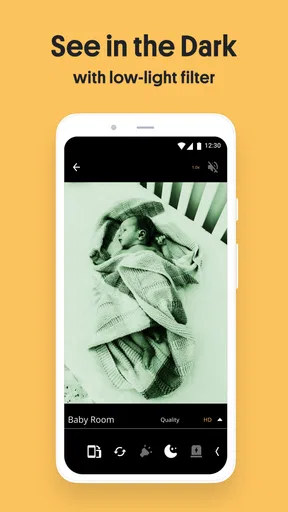
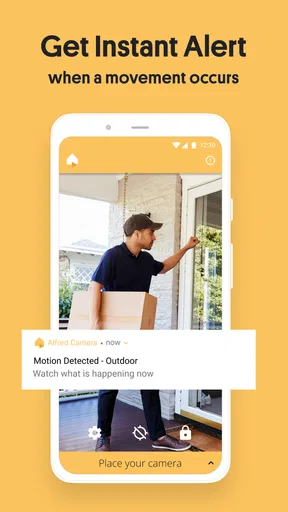
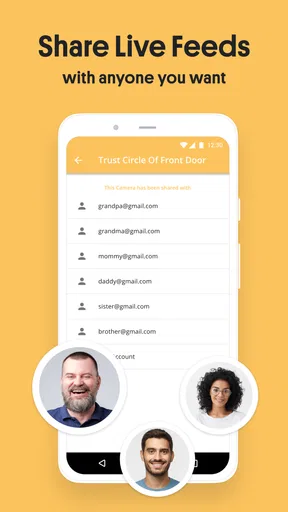
Our Review of AlfredCamera Home Security app
 Analysis by Appyee
I find AlfredCamera most useful when the problem is simple: I want to check a room from elsewhere, and I already have an extra phone that can stay put. Turning a spare device into a camera is appealing, but the experience depends on more than the app itself. The camera phone needs power and a dependable connection, while the viewer needs a route to reach it. When either side is unreliable, the convenience can quickly give way to waiting, missed alerts, or a frozen view.
That network dependence is the main thing I would think through before setting it up. A live view and motion notifications are only useful when the camera device can communicate consistently. I would test the exact spot where the phone will sit before relying on it for an important check-in, rather than assuming that a good connection elsewhere in the home will carry through walls or into a corner room.
Setting Up Your Virtual Security Guard
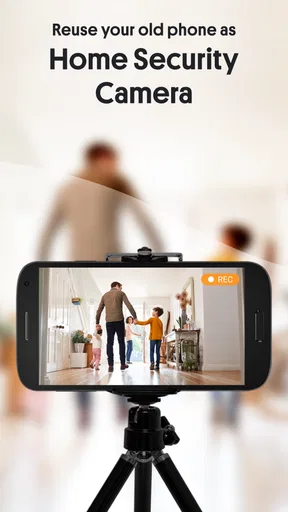
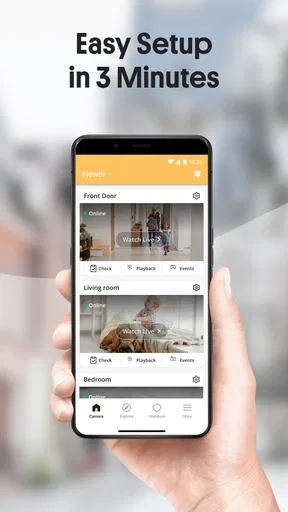
The first thing that struck me about AlfredCamera Home Security is how ridiculously easy it is to set up. I mean, all you need is an old smartphone or tablet lying around, and voilà, you’ve got yourself a security camera. The app guides you through a straightforward installation process, and within minutes, you’re all set.
After downloading the app on both your main device and the old phone you’re repurposing, you just have to log into the same account on both devices. The old device becomes your camera, while your primary phone acts as the viewer. Simple, right?
Features Galore
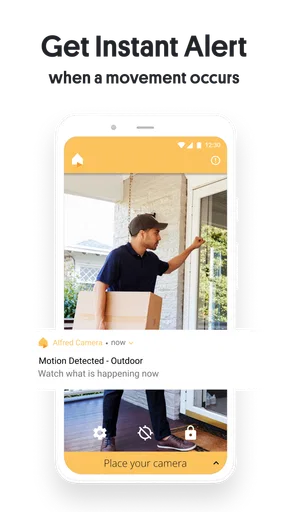
Now, let’s talk about the features that make this app stand out. First up is the motion detection. Whenever something moves in front of your camera, you get an instant alert on your phone. This is super handy if you’re worried about intruders or just want to know when your dog is up to no good.
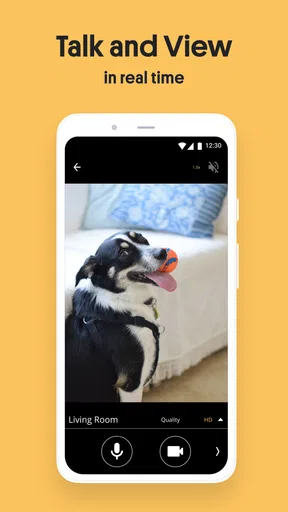
Then there’s the live streaming. You can check in on your home anytime, from anywhere. It’s like having a live feed of your living room at your fingertips. The night vision feature is also pretty impressive, giving you a clear view even in low-light conditions.
Oh, and did I mention the two-way audio? You can actually talk through the app. So, if you see your cat scratching the couch, you can tell it to stop before it does any damage. Or you can just say hi to your family when you’re away. It's surprisingly effective.
Making the Camera Fit Your Routine
The best place to begin is with one camera and one specific question you want it to answer. For example, if you want to know whether a pet is getting into the kitchen, aim the phone at the likely route rather than trying to cover the whole room. A tighter view can make motion alerts easier to interpret and reduce distracting activity in the background. Once that position has proved useful, you can decide whether another spare device would genuinely add coverage.
Think about the viewer as well as the camera. If you expect to check in during a commute or while away from home, test the setup from that kind of mobile connection before counting on it. A picture that loads quickly while both phones are on the same home network does not tell you how smoothly it will work when you are out. I would also try the microphone and speaker from the place where I normally take calls; being able to open a live view is only half the point if conversation is difficult to hear.
This is where AlfredCamera differs from a conventional dedicated security camera. It can make use of a phone you already own, which keeps the initial setup approachable and avoids buying another camera just to watch one spot. A purpose-built camera is usually the better fit if you want a permanent installation, purpose-designed mounting, or a system you can leave running without tying up a spare handset. AlfredCamera is strongest when flexibility and reuse matter more than a fixed, purpose-made setup.
Network Checks, Placement, and Recovery
A practical setup check is to leave the camera in its intended position and view it from another device while moving around the home. Try the doorway, the next room, and the place where you might actually check the feed from outside. This does not guarantee uninterrupted service, but it can reveal a weak spot before it becomes a surprise. Keep the camera near a power source, and avoid positioning it where a cable, sunlight, or everyday foot traffic will make it awkward to leave in place.
If the feed stops responding, I would first distinguish a camera-side problem from a viewer-side one. Check whether the camera phone still has power and a connection, then reopen the viewer and try again. A spare phone that has been moved, unplugged, or left with a poor signal can be the cause even when the main phone seems fine. That simple separation of roles makes troubleshooting less confusing: the camera must remain available, and the viewer must be able to reach it.
For this reason, I would not treat a phone-based setup as my only safeguard for a situation where a missed connection would have serious consequences. It is useful for routine awareness, such as checking whether a pet is settled, but it is not a substitute for a dependable alarm or a dedicated system when you need a more robust security arrangement. The convenience is real; so is the need to understand what happens when the network or camera phone is unavailable.
Simplifying Home Security
One of the coolest things about this app is its versatility. Whether you want to keep an eye on your front door, monitor your baby’s room, or simply watch over your home while you're away on vacation, AlfredCamera Home Security has got you covered.
The app supports multiple cameras, so you can set up several devices around your home for a comprehensive security system. And all this without breaking the bank. Talk about a win-win situation.
In everyday use, multiple cameras are most helpful when each one has a clear job. One phone might watch a room where a pet spends the day, while another checks an entry point. I would name or mentally map each position and test its view before leaving the house; otherwise, it is easy to open the wrong feed when you are in a hurry. More cameras also mean more devices that need charging, placement, and a working connection, so adding them is not automatically an improvement.
For a baby’s room, I would treat this as an extra way to look in, not as a replacement for equipment intended for critical monitoring. The same caution applies to vacation use: the app can help you check a familiar space, but a phone camera cannot prevent an outage or guarantee that an alert will arrive. If you need continuous, professionally installed coverage or a system built around dependable recording, a dedicated security product may suit you better.
Some Handy Tips
A little tip from me to you: make sure the device you’re using as a camera is plugged in, as continuous streaming can drain the battery fast. Also, a stable Wi-Fi connection is key for seamless streaming and notifications.
And if you’re worried about storage, the app offers cloud storage options for a fee. But if you’re like me and prefer the free route, you can manage with the basic storage features.
I would make a short test routine part of the setup: check the live image, trigger ordinary movement in view, and confirm that the alert reaches the viewer. Then repeat the check after changing the phone’s position or network. This is more useful than assuming that a notification setting is working simply because it was enabled once. If a camera is meant to watch a pet while you are away, test it during a brief errand first; that gives you a low-stakes chance to catch a placement or connection issue.
Storage is another choice worth making before you depend on recorded events. Live viewing and keeping footage for later are different needs, and cloud storage options involve a fee. I would decide how often I am likely to review clips and whether keeping them matters to me, rather than paying for storage just in case. Someone who only wants an occasional live check may have different priorities from someone who wants to revisit motion events after returning home.
Privacy deserves a practical look, too. A phone placed in a shared room can capture family members, visitors, or household routines, so I would choose the camera’s angle deliberately and let people who share the space know what it is for. Avoid pointing it at areas where people reasonably expect privacy. Reusing a handset makes setup accessible, but it also means an old device is now part of the home’s connected equipment; keep its role clear and do not leave it somewhere that makes access or charging unreliable.
Who Will Appreciate It—and Who May Not
I would recommend AlfredCamera to someone with an unused phone, a modest monitoring need, and enough patience to test the network before relying on it. It is particularly practical for checking a pet’s room, keeping an eye on a familiar area while running errands, or getting a quick view of a space that does not justify buying a dedicated camera. The low barrier to trying it is part of the appeal: you can begin with one device and see whether the routine actually helps.
I would steer away from it if you need a security system that works independently of a spare phone, if you cannot keep the camera device powered and connected, or if a missed alert would create an unacceptable risk. It is also less appealing if you want a discreet, permanent installation with purpose-built hardware. In those cases, a dedicated camera or a professionally designed alarm system is a more sensible comparison than another phone-based app.
One realistic routine might be leaving a dog at home during a grocery run. I would set the old phone where it can see the dog’s usual resting spot, make sure it is charging, and check the image before walking out. If an alert arrives, I can look at the live view and decide whether the dog is simply moving around or needs attention. That is useful reassurance, not proof that every event will be captured or that the connection will never drop.
What to Expect Before Depending on It
Alfred Systems Inc. makes this app in the House & Home category, and it is free to install. Optional in-app purchases range from $1.99 to $59.88 per item, so I would look at the choices in the app and match them to a real need rather than assuming every feature requires payment. It is rated for Everyone, and its broad reach is reflected in a 4.7 average from around 939,000 ratings, with more than 50 million installs.
The app first appeared on December 17, 2012, and its current version is 2026.3.1. It supports Android 5.0 and later, which can make an older handset useful, though a compatible operating system alone does not promise that a particular phone will perform well as a camera. The camera’s battery condition, lens, placement, and ability to stay connected matter just as much in day-to-day use.
A question I would ask before setup is whether I can leave a second phone in one place for long periods. If the answer is no, the whole arrangement becomes inconvenient, because moving the camera changes what it can see and unplugging it interrupts its role. Another useful question is whether I need recordings or simply a live check. That distinction helps clarify whether the free experience is enough or whether a paid storage option is relevant.
Final Thoughts
All in all, I’m pretty impressed with what AlfredCamera Home Security offers. It’s a simple, cost-effective way to enhance your home security without the need for expensive equipment. Plus, the user-friendly interface makes it accessible to just about anyone.
If you’re looking for a practical solution to keep an eye on your home, this app is definitely worth checking out. With its array of features and ease of use, it’s like having a security guard in your pocket. So why not give it a shot? You might just find it’s exactly what you’ve been searching for.
My final verdict is that the app earns its place as a flexible, low-cost way to reuse a phone for everyday monitoring, especially when you want a quick view rather than a full security installation. I would start with one camera, test it from the places I actually use my phone, and only expand after the first setup proves reliable. If that modest arrangement matches your needs, AlfredCamera is a sensible one to try; if you need dependable coverage regardless of a spare device or network conditions, I would choose purpose-built equipment instead.
Privacy and Permissions
See what permissions an app requests and how it handles your data.
- Location
- approximate location (network-based), precise location (GPS and network-based)
- Photos/Media/Files
- read the contents of your USB storage, modify or delete the contents of your USB storage
- Storage
- read the contents of your USB storage, modify or delete the contents of your USB storage
- Camera
- take pictures and videos
- Microphone
- record audio
- Wi-Fi connection information
- view Wi-Fi connections
- Other
- view network connections, pair with Bluetooth devices, access Bluetooth settings, change network connectivity, allow Wi-Fi Multicast reception, connect and disconnect from Wi-Fi, full network access, change your audio settings, run at startup, draw over other apps, control vibration, prevent device from sleeping, install shortcuts, Google Play license check, read Google service configuration
Verdict
Strengths of AlfredCamera Home Security app
- Easy to set up and use.
- Offers live streaming video.
- Includes motion detection alerts.
- Supports two-way audio communication.
- Free basic plan available.
Limitations of AlfredCamera Home Security app
- Requires stable internet connection.
- Limited features on free version.
- Occasional false motion alerts.
- Battery drain on older devices.
- Ads can be intrusive.
Similar Picks in This Category
View All
Universal TV Remote Control
CodeMatics Media Solutions3.9

Planner 5D: AI Home Design
Planner 5D4.5

Universal Tv Remote-Cast to TV
One Music Player4.1

Zillow: Homes for Sale & Rent
Zillow Group4.8

99acres Buy/Rent/Sell Property
infoedge.com4.3

Urban Company: InstaHelp &more
Urban Company4.8
Frequently Asked Questions
What features does AlfredCamera offer for home security?
AlfredCamera provides a range of features designed to enhance home security. These include live video streaming, motion detection alerts, night vision, and a two-way audio system. The app allows users to monitor their homes remotely via their smartphones, ensuring peace of mind whether you're at work or on vacation.
Is AlfredCamera compatible with both Android and iOS devices?
Yes, AlfredCamera is compatible with both Android and iOS devices. Users can download the app from the Google Play Store or the Apple App Store. It works seamlessly across different devices, allowing for flexibility and convenience in monitoring your home from anywhere.
Does AlfredCamera require any additional hardware to function?
AlfredCamera does not require any additional hardware. Users can repurpose their old smartphones or tablets as security cameras, making it a cost-effective solution. Simply install the app on both your new and old devices, and you're ready to set up your home surveillance system.
How does AlfredCamera handle user privacy and data security?
AlfredCamera prioritizes user privacy and data security by employing encryption protocols to protect video streams and user data. The app requires user authentication for access, ensuring that only authorized individuals can view the live feed. Users can also control who has access to their cameras.
Are there any subscription fees for using AlfredCamera?
AlfredCamera offers a free version with essential features, but there are subscription options available for those seeking advanced functionalities. The premium version includes features such as HD viewing, longer cloud storage for recorded videos, and ad-free usage. Users can choose a plan that best fits their needs.
